


Installation as a telephone book
To install the blocklist, you need a "FRITZ!Box" Internet router from AVM and a PhoneBlock account. It does not necessarily have to be the latest model, but you should check whether the latest FRITZ!OS is installed on it (07.29 or newer). If this is not the case, use the following installation instructions to check whether your version already offers the necessary options.
Note: Due to technical limitations of the Fritz!Box, the entire block list cannot be loaded into a phone book. Therefore, setting up a PhoneBlock answering machine offers better protection against SPAM calls.
Use the following steps to set up the block list:
- Register with PhoneBlock
- Log in to FRITZ!Box
- Create new "Blocklist" phone book
- Generate CardDAV token
- Enter login data in Fritz!Box
- Check installation
- Activate call barring
Step 1: Register with PhoneBlock
First you need to register or log in to PhoneBlock to start the setup.
Step 2: Log in to FRITZ!Box
For this to work, you must be connected to your WLAN at home or your computer must be connected directly to the FRITZ! The FRITZ!Box will first ask you for your password. If you have never logged in before, you will find this password on the bottom of the device.
Step 3: Create new "Blocklist" phone book
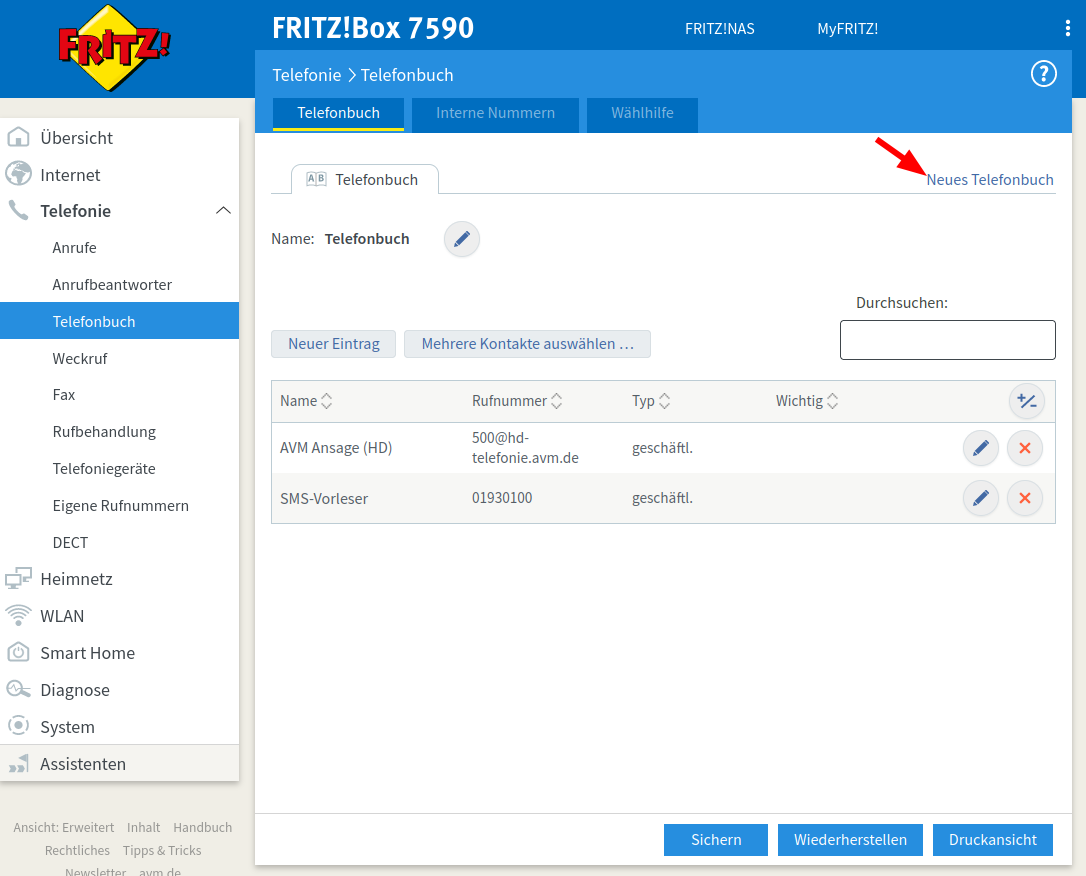
In order for your FRITZ!Box to block spam calls, it needs its own phone book in which all numbers of unwanted callers are entered. Call this phone book "Blocklist". For this
- First navigate to the "Telephony" section,
- select the "Phone book" menu item and
- then click on the "New phone book" link.
Step 4: Create CardDAV token
For the setup in your Fritz!Box you need a special CardDAV token as password. This token is only used for the connection between your Fritz!Box and PhoneBlock and can be revoked at any time in the settings.
You must first log in to create a token.
Step 5: Enter login data in Fritz!Box
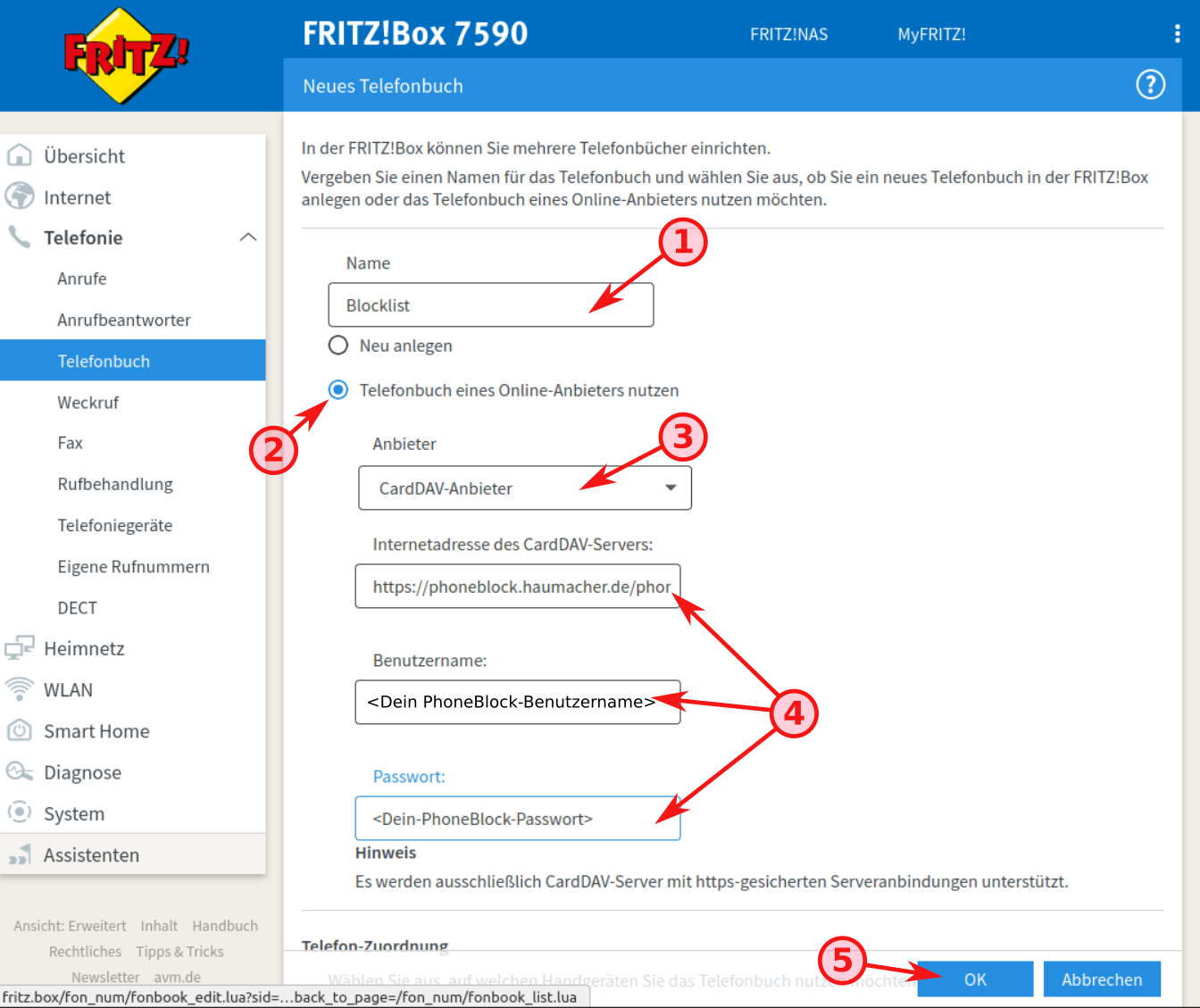
Now you have to enter the login data in the FRITZ!
-
Enter the name
Blocklistfor the phone book that is to be used as a blocklist. You will need this name again for the next step. - Select the option Use phonebook of an online provider.
- Select the provider CardDAV provider.
-
Transfer the login data (preferably using Cut&Paste to avoid typing errors).
-
Attention: Select none of your phones under "Phone assignment"! Otherwise you will only find SPAM callers in the contacts on your phone.
You can now confirm the creation of the new phone book.
Step 6: Check installation
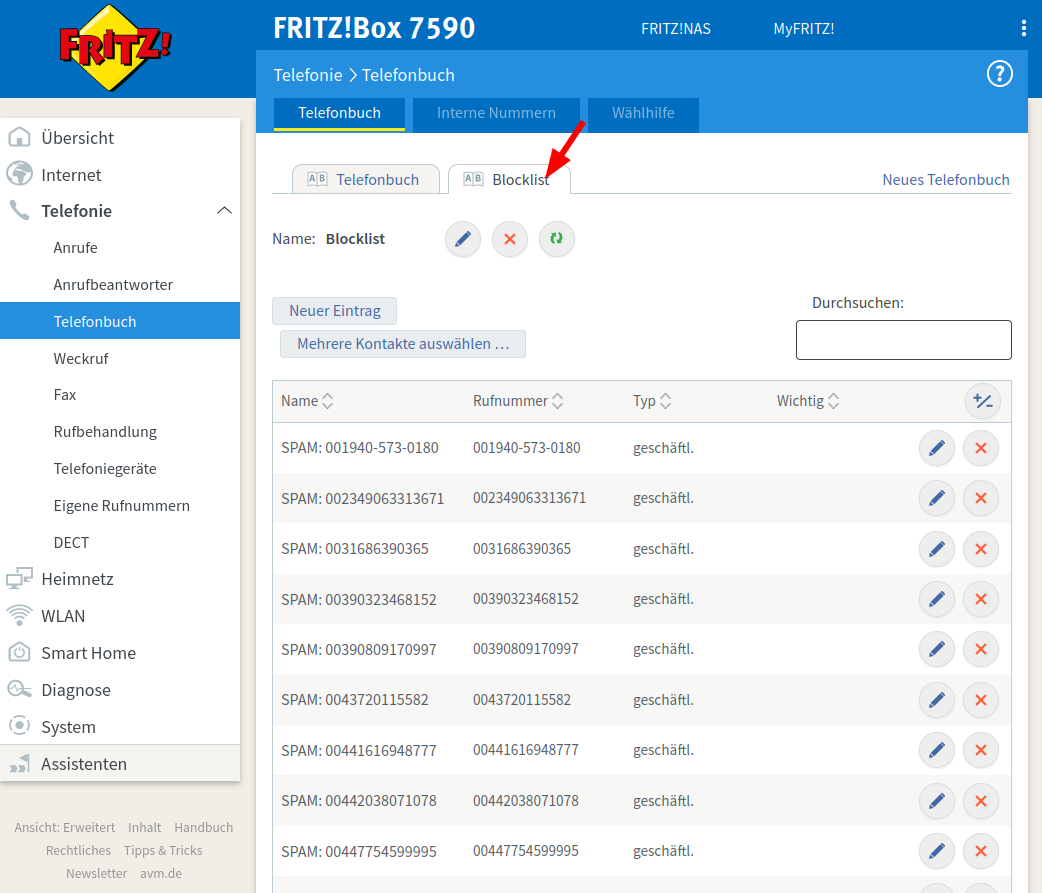
If everything went well, then your FRITZ!Box has loaded all the numbers from the PhoneBlock blocklist. You should now have a new "Blocklist" phonebook in the "Telephony / Phonebook" section. If you select the "Blocklist" tab, you can see all the numbers of current spam callers.
Step 7: Activate call barring
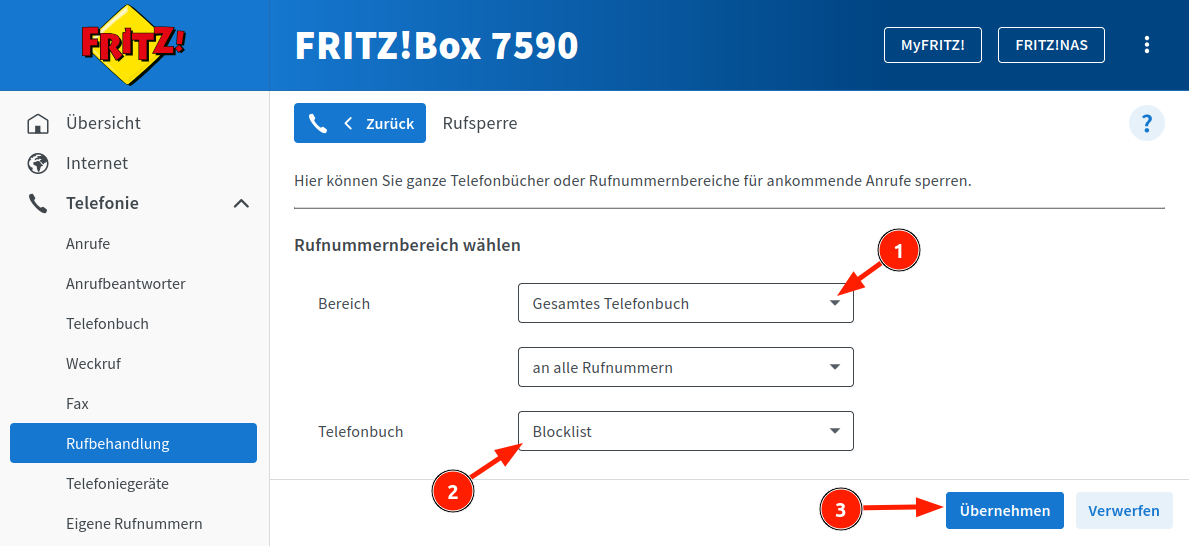
In the "Telephony / Call handling" section, you can now specify the new "Blocklist" phone book as the number range to be blocked.
Scroll down to the sub-item "Block number ranges" and click the "Add range" button.
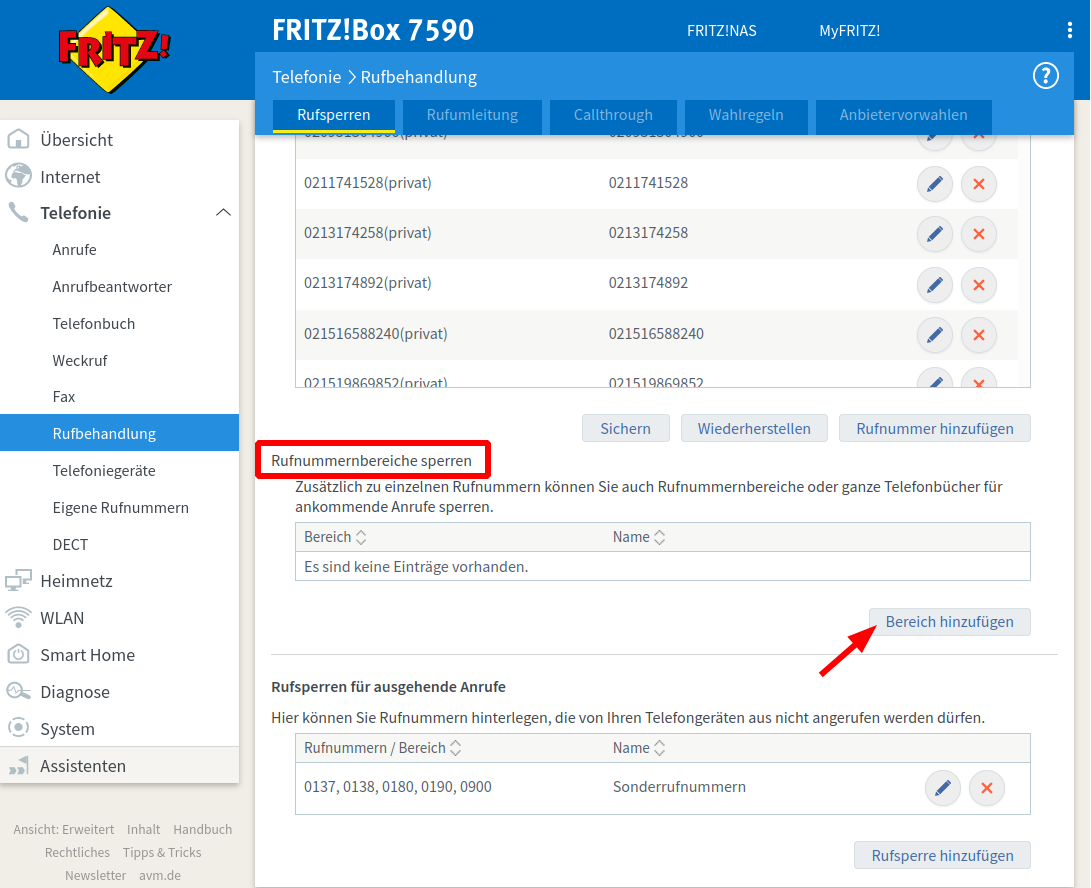
In the new screen, select the option "Phone book" in the selection for "Area" and select the newly created phone book "Blocklist" as the "Phone book" to be blocked.
Perfect! You've completed the setup. Your phone should now ring much less frequently because of an unwanted caller. And if it does, you can easily silence the troublemaker for yourself and the entire PhoneBlock community: